













Ritzo Casino — Mobile App for iOS & Android
Ritzo Casino Mobile: Play via Browser Without Installing a Separate App
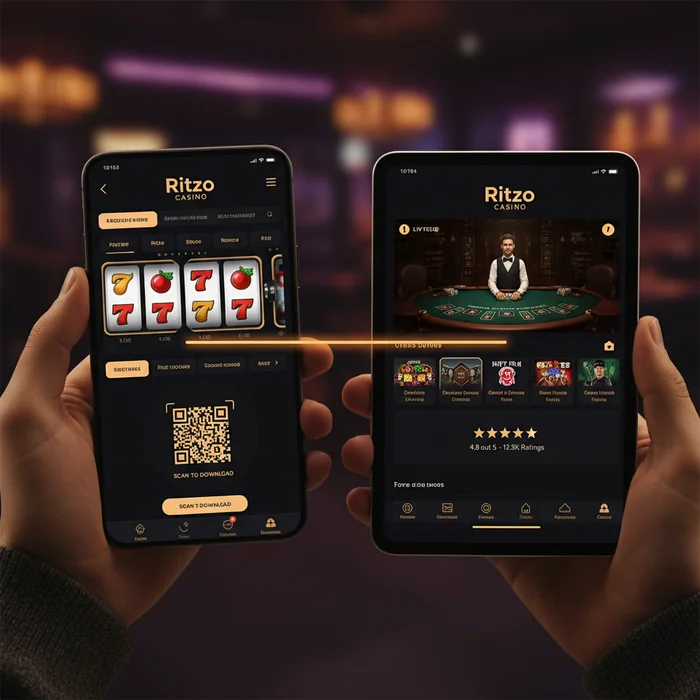
The Ritzo App — or more precisely, the mobile version of the platform — works directly through your smartphone browser, with no downloads or installations required. This isn't a compromise; it's a deliberate design decision. We've optimized the entire gaming environment for touch controls, so you can jump right in whether you're on the subway or taking a quick break.
No searching through app stores, no waiting for updates, no storage issues on your phone. Simply open ritzocasino777.com in your browser, log in, and play. That's how we designed it — and that's exactly how it works in practice.
Compatibility with iOS and Android Devices in the Mobile Browser
Whether you're using an iPhone running iOS 14 or an Android device running version 9 or later, the platform runs smoothly on both systems. The key factor isn't the operating system — it's the browser: Safari on iOS and Chrome on Android deliver the best results. Firefox and Edge work too, but load times may be slightly longer.
| Platform | Minimum Version | Download | App Size |
|---|---|---|---|
| iOS (Safari) | iOS 14+ | No download — browser is all you need | No storage required |
| Android (Chrome) | Android 9+ | No download — browser is all you need | No storage required |
| Windows (Desktop Browser) | Windows 10+ | No download required | — |
| Mobile Browser (general) | Latest browser version | Directly via ritzocasino777.com | 0 MB |
| Tablet (iOS/Android) | iOS 14 / Android 9+ | Browser-based | No storage required |
Tablets offer a particularly enjoyable gaming experience — the larger screen makes a real difference, especially at live casino tables. If you're using an iPad or Android tablet, you get essentially desktop-quality visuals with the flexibility of mobile gaming.
The Difference Between a Native App and a Mobile Browser Experience
To be straightforward: there is currently no separate native app to download Ritzo — neither on the App Store nor on Google Play. What we offer instead is a fully responsive web app that feels like a native app but requires no installation. You can even save the site as a shortcut on your home screen, making it look and feel just like a real app.
The practical difference in day-to-day use: no mandatory updates, no compatibility issues after OS updates, and no need to free up storage space on your device. The one minor drawback compared to a native app is that you need an active internet connection for every session — offline gaming isn't possible. It's worth knowing this before you head out on a long train journey without Wi-Fi.
Mobile Game Selection at Ritzo: Over 6,000 Slots on Your Smartphone
Over 6,000 games sounds like a lot — and it is. But what really matters is how many of them run flawlessly on a smartphone. With us, it's virtually all of them. We partner with over 100 software providers, and most deliver their titles as HTML5 versions designed for touch controls as standard.
Which Game Categories Work Best on Mobile Devices
Slots are the clear winner on mobile — they're built for portrait mode, load quickly, and don't require complex controls. Three titles that perform especially well on smartphones: Gates of Olympus, Sweet Bonanza, and Book of Dead. All three run smoothly even on weaker connections, and the touch controls feel completely natural.
Table games like blackjack and roulette also work well on mobile, but here's the thing: if you need to read a lot of text or place complex bets, a tablet is a better choice than a smartphone. Controls can feel a little cramped on smaller screens — not a deal-breaker, but good to know in advance.
| Feature | Mobile | Desktop | Winner |
|---|---|---|---|
| Game Selection | 6,000+ titles | 6,000+ titles | Tie |
| Load Speed | ~2–3 sec. (Wi-Fi) | ~1–2 sec. | Desktop (slightly faster) |
| Live Casino | Full access | Full access | Tie |
| Bonuses & Promotions | Same offers | Same offers | Tie |
| Payment Methods | Most available | All available | Desktop (slightly more) |
| Multi-Tabling | Limited | Comfortable | Desktop |
| Push Notifications | Yes (browser push) | No | Mobile |
| Screen Quality | Small but sharp | Large display | Desktop (live games) |
When Mobile Is the Better Choice
Quick sessions on the go, a few slot spins during your lunch break, live sports betting during an event — this is where mobile gaming truly shines. If you've got 15–20 minutes and just want to spin a few rounds, your smartphone is the most efficient option. No booting up, no logging in on a PC — just tap your shortcut and go.
When Desktop Is the Better Choice
For long poker sessions, intensive live casino play, or when you want to keep an eye on multiple games at once: desktop wins. The larger screen makes a real difference at live dealer tables — you see more of the table, the dealer camera is sharper, and the chat function is easier to use. If you're playing for two hours or more, the desktop also saves your phone's battery.
Live Casino Games on Mobile: Quality and Stream Stability
The live casino works on mobile — we can say that with confidence. However, stream quality depends heavily on your connection: with a stable Wi-Fi or LTE/5G signal, you'll get a smooth, lag-free picture. On a weak 4G signal, the stream may experience slight delays. We recommend a minimum 10 Mbps connection for live casino sessions.
Our live casino games are provided by leading industry suppliers, which means professional studios, real dealers, and HD streams. What feels different on mobile compared to desktop: the chat function is slightly tucked away, and the betting buttons are smaller. Tablet users have a clear comfort advantage over smartphone players here.
Deposits and Withdrawals via Mobile Devices at Ritzo
Everything you can do on desktop for payments works on mobile too — with one small caveat we'll mention in a moment. The minimum deposit is €50, and that applies to mobile transactions as well. A quick deposit from your phone, a short session, and cashing out your winnings — that's the typical mobile flow our players use.
Using Cryptocurrencies, E-Wallets, and Card Payments on Mobile
E-wallets work best on smartphones — many providers have their own apps, so you can pay directly from your wallet app without typing in any details. Card payments go through the mobile form, which works without any issues, though it does require a bit more typing on smaller screens. Cryptocurrencies are actually especially convenient on mobile: scan the QR code, confirm the amount, and you're done.
An honest note: not all payment methods are equally accessible on every device. Certain bank transfer options with additional authentication can be slightly more cumbersome on a smartphone than on desktop, since you may need to switch between apps. For most players, this isn't an issue — but if you exclusively use bank transfers for deposits and withdrawals, we recommend using desktop for large transactions.
Tips for a Smooth Mobile Gaming Experience on the Ritzo Platform
We've gathered the most common technical hurdles our players encounter — and how to avoid them. What follows isn't generic "use Wi-Fi" advice, but specific tips tailored to playing on Ritzo mobile.
Optimizing Your Internet Connection, Battery, and Storage for Stable Play
For slots, 5 Mbps is more than enough — the games are optimized for mobile connections. Live casino requires more: we recommend at least 10 Mbps for stable streams without interruptions. If your stream is choppy, it often helps to manually set the video quality in the live casino menu to "Standard" instead of "HD" — this noticeably reduces data usage.
Battery tip: live casino games and graphically intensive slots consume more power than simpler slots. If you're planning a longer session, plug your phone into a charger or enable the browser's energy-saving mode rather than the device's system-wide power saving mode — this preserves gaming performance better than the system power saver.
Storage space isn't a concern with us — since there's no app to install, you don't need to free up any device memory. What does help is using an up-to-date browser. Safari and Chrome generally update automatically, but if you manage your device manually, it's worth checking your settings.
Managing Mobile Notifications and Account Settings on the Go
You can enable browser push notifications for Ritzo — this way, you'll receive updates about new promotions directly on your lock screen. Worth noting: these notifications also alert you to bonus expiry times. That's more relevant than it sounds, since our welcome bonus expires after a set period — with push notifications enabled, you won't miss it.
All account settings — limits, payment methods, uploading KYC documents, checking your VIP status — are fully accessible in the mobile browser. The KYC process is actually particularly convenient on mobile, since you can photograph and upload your ID documents directly with your camera, with no need for a scanner or desktop.
For new players: Registering with Ritzo is, of course, fully supported on mobile. Create your account, make a deposit, activate your bonus — all in one seamless flow, directly from your smartphone. If you're already registered, you can log in via the login page and start playing right away. Current bonus offers, including the 225% welcome bonus across five deposits, are always available under our promotions.